Microsoft Skill Recorder: Record Work into Skills
↗ learning a workflow from one real demonstration is a big idea — this v0.3.1 source release still needs a careful lab boundary
On this page
This is part of the Microsoft 365 Copilot Skills series.
The idea is huge: do a task once, then let an AI turn that real workflow into a reusable Skill.
The current tool is much smaller than that idea.
Microsoft Skill Recorder is a new open-source Electron application. It records screen and activity signals locally, asks GitHub Copilot to reconstruct your intent and steps, and then helps you create:
- an on-demand Scout Skill;
- an on-demand Cowork Skill; or
- a scheduled or condition-triggered Scout Automation.
It is also a v0.3.1 source-only release, published on 30 July 2026, with no prebuilt application attached and several open hardening issues.
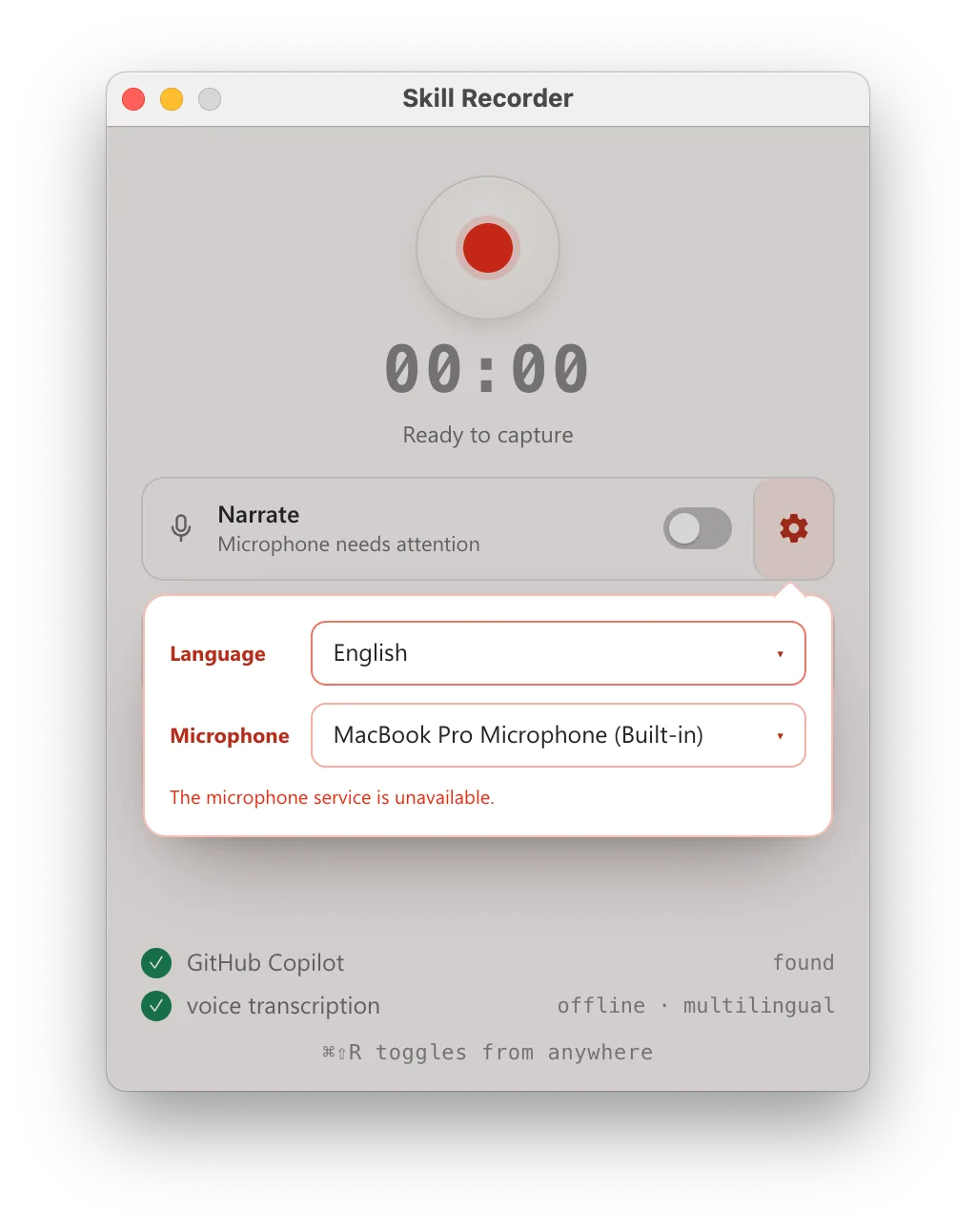
The recording controls in Skill Recorder v0.3.1. Source: the exact v0.3.1 image, MIT licence.
The short version
| Question | Honest answer for v0.3.1 |
|---|---|
| Is the record-to-Skill idea important? | Yes — it changes Skill authoring from remembering a process to demonstrating it |
| Is this a click-replay macro recorder? | No — it reconstructs intent and prefers native agent tools |
| Scout Skill | Supported and installed to the local Skills folder |
| Cowork Skill | Supported as an exported SKILL.md for manual installation |
| Scout Automation | Supported as exported automation.json |
| Copilot Studio | Shown as Coming soon in the source |
| GitHub Copilot | Required for analysis and building; not an output target |
| Prebuilt signed installer | No — v0.3.1 is source-only |
| Automatic secret redaction | No, not in the tested release |
| Production-ready | No — use an isolated lab with synthetic data |
What Skill Recorder actually does
The workflow has two AI stages and two human review points.
flowchart TD
    A["Record one real task
on the local device"] --> B["Analyze with GitHub Copilot
intent + ordered steps"]
    B --> C["Human reviews and edits
the reconstructed workflow"]
    C --> D["Builder proposes
a generalized plan"]
    D --> E["Human reviews values,
tools and side effects"]
    E --> F["Create SKILL.md
or Scout automation JSON"]
1. Record
Start from the application or use the global shortcut:
- macOS:
Command + Shift + R - Windows:
Ctrl + Shift + R
Narration is optional and off by default. The recording bar lets you switch microphone or language while the session is running.
2. Analyze
Select Analyze when the task is complete.
GitHub Copilot reconstructs:
- one overall intent;
- an ordered list of meaningful steps;
- the applications involved;
- what the task was trying to achieve.
You can edit, remove, add, or reorder those steps before building anything.
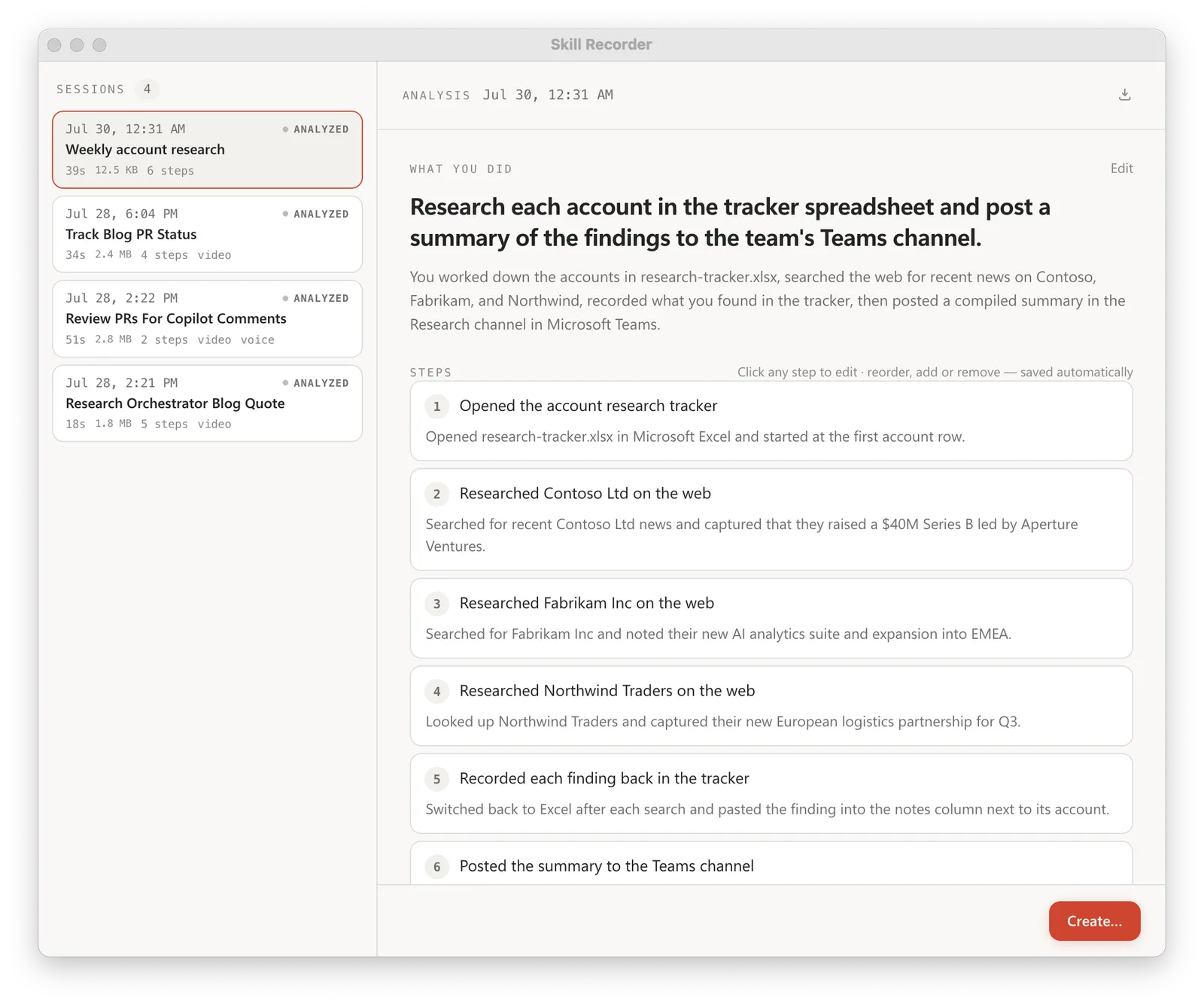
The reconstructed intent and editable step list. Source: the exact v0.3.1 image, MIT licence.
3. Plan
Choose what to build.
The builder separates:
- calculations — read, derive, filter, decide or format;
- actions — submit, send, create, edit, delete or otherwise change something.
It also extracts fixed values, such as a canonical URL or repository name, into editable tokens rather than scattering them through every step.
4. Create
After you approve the plan, the tool creates the final artifact.
The goal is not to replay coordinates or reproduce every window switch. The builder instructions explicitly prefer:
- native agent tools;
- Microsoft 365 tools;
- APIs;
- first-class Skills;
- authenticated CLIs such as
gh,gitoraz; - browser automation only when a task is genuinely UI-only.
What it records
Skill Recorder’s public documentation says recording and storage stay on the device until you select Analyze.
Local while recording
- active app and window changes;
- window or document titles;
- browser URLs on macOS; Windows captures a best-effort address-bar display value; Ubuntu has no URL provider in v0.3.1;
- low-rate screen recording and extracted frames;
- short clipboard previews;
- optional microphone narration;
- on-device Whisper transcription.
The Whisper model is a separate first-use download of roughly 252 MB.
Sent to GitHub’s cloud on Analyze
- event timeline;
- app, window and document titles;
- captured URLs from supported platforms;
- clipboard previews;
- extracted screen images;
- narration text.
The raw screen video is not listed as an Analyze upload, but selected frames are.
Privacy boundary
A filename, browser tab, notification, copied value or background window can reveal information you did not intend to teach. Microsoft 365 Purview, DLP, retention, eDiscovery and tenant-audit coverage are not documented for this Recorder workflow. Do not assume the Microsoft 365 Copilot trust boundary applies to data sent to GitHub Copilot.
No automatic redaction in v0.3.1
The release warns before recording:
- keep passwords off screen;
- do not type or paste tokens;
- do not copy API keys;
- do not narrate confidential information.
That warning is the current protection.
As checked on 31 July 2026, an on-device sensitive-detail detection and redaction pull request exists, but it is explicitly marked DO NOT MERGE, does not typecheck, and says screenshot redaction still needs an OCR/blur design.
So the safe assumption is:
If a sensitive value appears on screen, in a title, in the clipboard or in narration, the current release might capture it.What it can create today
The repository source is clearer than the launch summary.
| Target | Current output | Placement |
|---|---|---|
| Scout Skill | SKILL.md | Installed under ~/.copilot/skills/<name>/SKILL.md |
| Cowork Skill | SKILL.md | Exported to a folder you choose; install manually |
| Scout Automation | automation.json | Exported under ~/.copilot/automations/<name>/ for Scout import |
| Copilot Studio | Nothing yet | Source displays Coming soon |
GitHub Copilot is the analysis engine. It is not one of the generated targets.
Skills are one file today
The current builder renders one SKILL.md.
It does not yet generate:
references/;scripts/;assets/;- an MCP configuration;
- a Cowork Microsoft 365 app package.
Supporting-file creation and MCP discovery are still open investigation items.
That means a generated Cowork Skill is not the same as a complete packaged Cowork plugin. Use the separate Cowork packaging guide when you need app-manifest distribution, connectors or tenant deployment.
Hands-on v0.3.1 lab results
I used the exact release commit:
v0.3.1
32fd0b57e02c3ea1e016cca0d64e59052e93a9b9
I did not run the one-line irm | iex installer or record this desktop. I cloned the exact tag and used the project’s own synthetic fixtures.
git clone --depth 1 --branch v0.3.1 https://github.com/microsoft/skill-recorder.git
cd skill-recorder
npm ci
npm run compliance:licenses
npm test
npm run build
Build and test results
| Gate | Result |
|---|---|
| Licence preparation | 171 package licences prepared |
| TypeScript/Vite production build | Passed |
| Eval harness typecheck | Passed |
| Unit/compliance tests | 58/58 passed after Git’s unzip was added to PATH |
| Describer evals | 9/9 passed, all scored 100% |
| Scout/Cowork Skill-plan evals | 5/5 passed, all scored 100% |
| Scout Automation-plan evals | 8/10 passed |
The initial unit run was 57/58 because one test shells out to an unzip executable that was not on this Windows PATH. The same test passed when Git’s bundled unzip.exe was added.
Why the Automation suite was 8/10
The two failed scenarios produced readable browser-based plans for UI-only web apps.
The scorer expected exact terms such as:
browser_;browser automation;web_fetch;- Work IQ.
The generated plan said use the browser, so the intent looked reasonable to a human, but it missed the evaluator’s accepted token list. I would treat that as useful evidence of eval/builder alignment work—not claim 10/10 and not dismiss the official failure.
Dependency audit snapshot
npm ci installed the exact lockfile successfully.
The 31 July npm audit snapshot reported:
- 1 critical advisory;
- 30 high advisories;
- 609 dependencies in the tree.
The critical finding was in transitive tar. High findings included direct or transitive dependencies such as @electron/asar, @huggingface/transformers, adm-zip, archiver, electron-builder and sharp.
These are npm dependency advisories, not proof of exploitability, reachability, or a Microsoft security finding. No remediation was applied.
Advisory counts change over time. This is not a permanent score, but it is a strong reason not to install v0.3.1 casually on a production workstation.
Do not auto-fix the release
Running
npm audit fix --forcewould mutate the exact release and could break its reviewed compliance boundary. Use a newer release when maintainers update dependencies, or test any remediation as a separate fork.
Open hardening issues that matter
The project is unusually transparent about its current risks.
Generated tools can exceed the reviewed plan
As checked on 31 July 2026, Issue #8 says the final Skill creation turn can add allowed-tools entries that were not in the human-approved plan.
Until fixed:
- diff the final
allowed-tools; - compare them with the reviewed plan;
- remove anything broader;
- do not auto-install without inspection.
Recording can crash or wedge
As checked on 31 July 2026, two open issues whose reporters label them [High] document:
Support is not ready
The current SUPPORT.md is still the unedited Microsoft template.
As checked on 31 July 2026, an open documentation pull request proposes the honest wording: experimental research project, GitHub Issues best-effort support, no Microsoft CSS support or SLA, and mandatory review of generated Skills.
That language is not merged into v0.3.1, but it is the right risk posture.
Installation reality
The v0.3.1 release published on 30 July 2026 has:
- no prebuilt application;
- no attached installer;
- no portable binary.
The source installer downloads a pinned Node.js 24 runtime, the exact source commit, Electron and dependencies, runs npm ci, checks licences, builds locally, and adds a Skill Recorder (Source) shortcut.
Supported source-install paths:
- macOS — primary target;
- Windows 11 x64;
- Windows 11 ARM64;
- Ubuntu.
The inspect-first installation procedure is safer than piping a remote script directly into a shell.
Enterprise controls can still block the locally assembled app:
- Gatekeeper;
- Smart App Control;
- application-control policy;
- endpoint protection.
CAT Agent Skills: find before you record
Before creating a new Skill, check whether someone has already shared one in the CAT Agent Skills gallery.
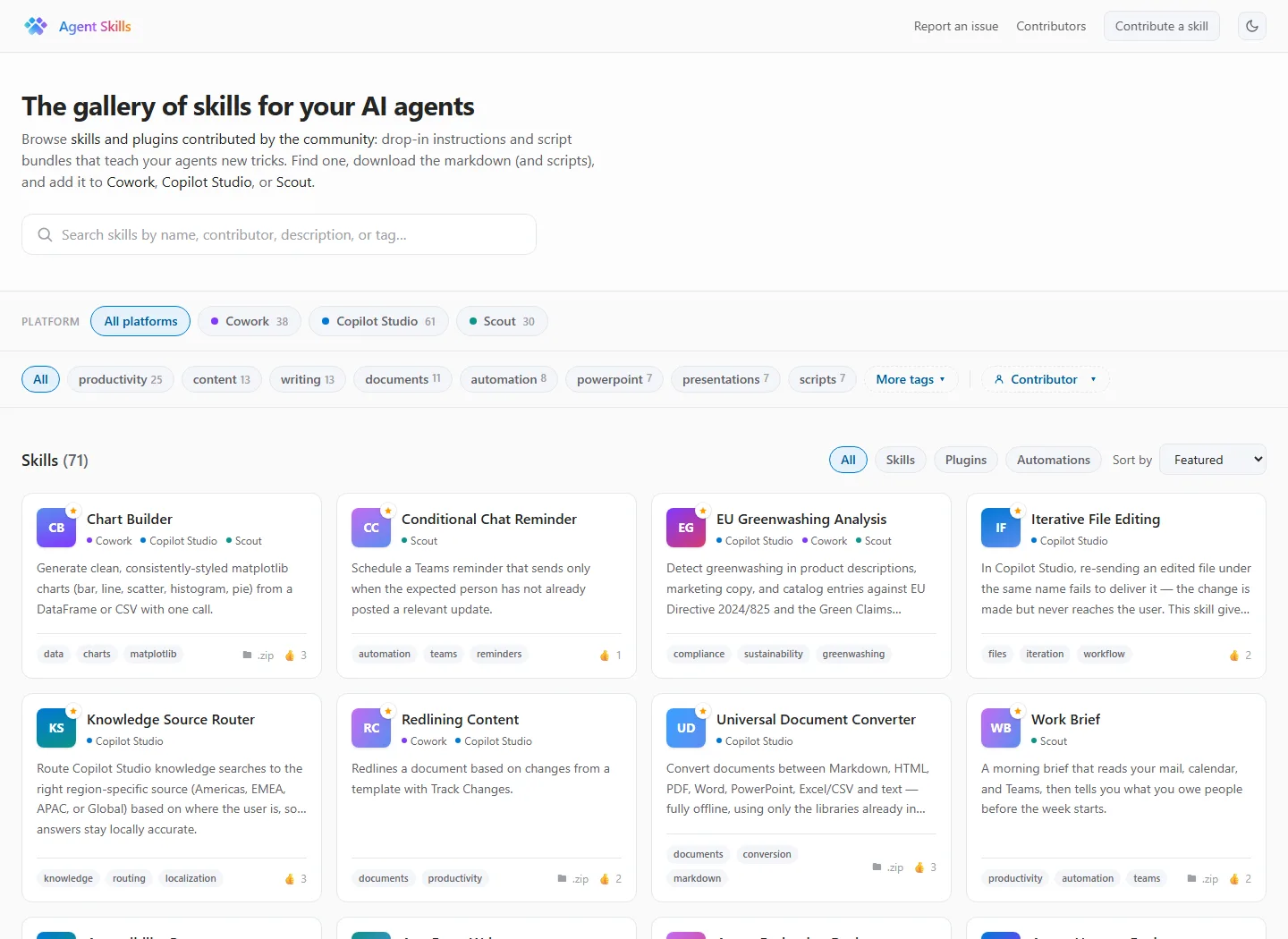
CAT Agent Skills on 31 July 2026. This is a community gallery and example implementation—not a Microsoft-supported marketplace.
Gallery snapshot
| Item | 31 July snapshot |
|---|---|
| Total entries | 71 |
| Skills | 67 |
| Scout automations | 3 |
| Grandfathered plugin | 1 |
| Named authors | 38 |
| Community-attributed entries | 70 |
| Entries with downloadable bundles | 50 |
Platform counts overlap:
- Copilot Studio: 61
- Cowork: 38
- Scout: 30
The gallery also exposes a static skills.json catalogue feed that can be searched or used for lightweight discovery automation.
Trust model
CAT validates metadata, folder shape and site build.
It does not publicly claim that every Skill is:
- security-reviewed;
- malware-reviewed;
- functionally tested;
- Microsoft-certified;
- supported by Microsoft Support.
Bundles can include scripts, references and assets exactly as submitted. Ratings are community GitHub reactions, not a certification.
Read every downloaded SKILL.md and script before installing it.
Safe pilot checklist
Use safe source material
- Synthetic task and files only
- No customer, employee, health, finance or legal data
- Close unrelated applications and notifications
- Empty the clipboard before recording
- Keep narration off for the first run
- Do not show passwords, tokens or account IDs
Review what the AI inferred
- Intent matches the real goal
- Off-task windows were removed
- Specific examples became a general loop
- Fixed paths and URLs are genuinely fixed
- Calculations and actions are separated
- Side effects are explicit
Review the generated artifact
-
descriptiontriggers only the intended task -
allowed-toolsis no broader than the approved plan - No recorded secrets, names or paths remain
- Native tools are preferred over UI automation
- Destructive actions require target-agent approval
- Test in a non-production account first
Should you use it?
| Situation | Recommendation |
|---|---|
| Learning how record-to-Skill authoring could work | Yes — isolated synthetic lab |
| Drafting a low-risk Scout or Cowork Skill | Yes, with line-by-line review |
| Recording customer or employee workflows | No |
| Recording a password, payment, HR or admin task | No |
| Enterprise rollout | Not yet |
| Copilot Studio Skill generation | Not supported in v0.3.1 |
| Publishing directly to CAT Gallery | No built-in path; review and contribute separately |
Continue the Copilot Skills series
- Microsoft 365 Copilot Skills, explained — the hub.
- Write your first SKILL.md — manual authoring and evals.
- Cowork Skill packaging and distribution — turn a Skill into a governed app package.
- Admin and governance for Copilot Skills — tenant controls and Purview boundaries.
Official public sources
Frequently asked questions
The questions to answer before Skill Recorder sees your screen.